|
https://www.mydigit.cn/thread-304990-1-1.html 帖最后由 fryefryefrye 于 2022-4-3 22:52 编辑
Arduino开发环境,在库管理器里,先安装如下两个库。U8g2内含中文字库,ESP32Lib提供了VGA驱动。
U8g2
bitluni ESP32Lib
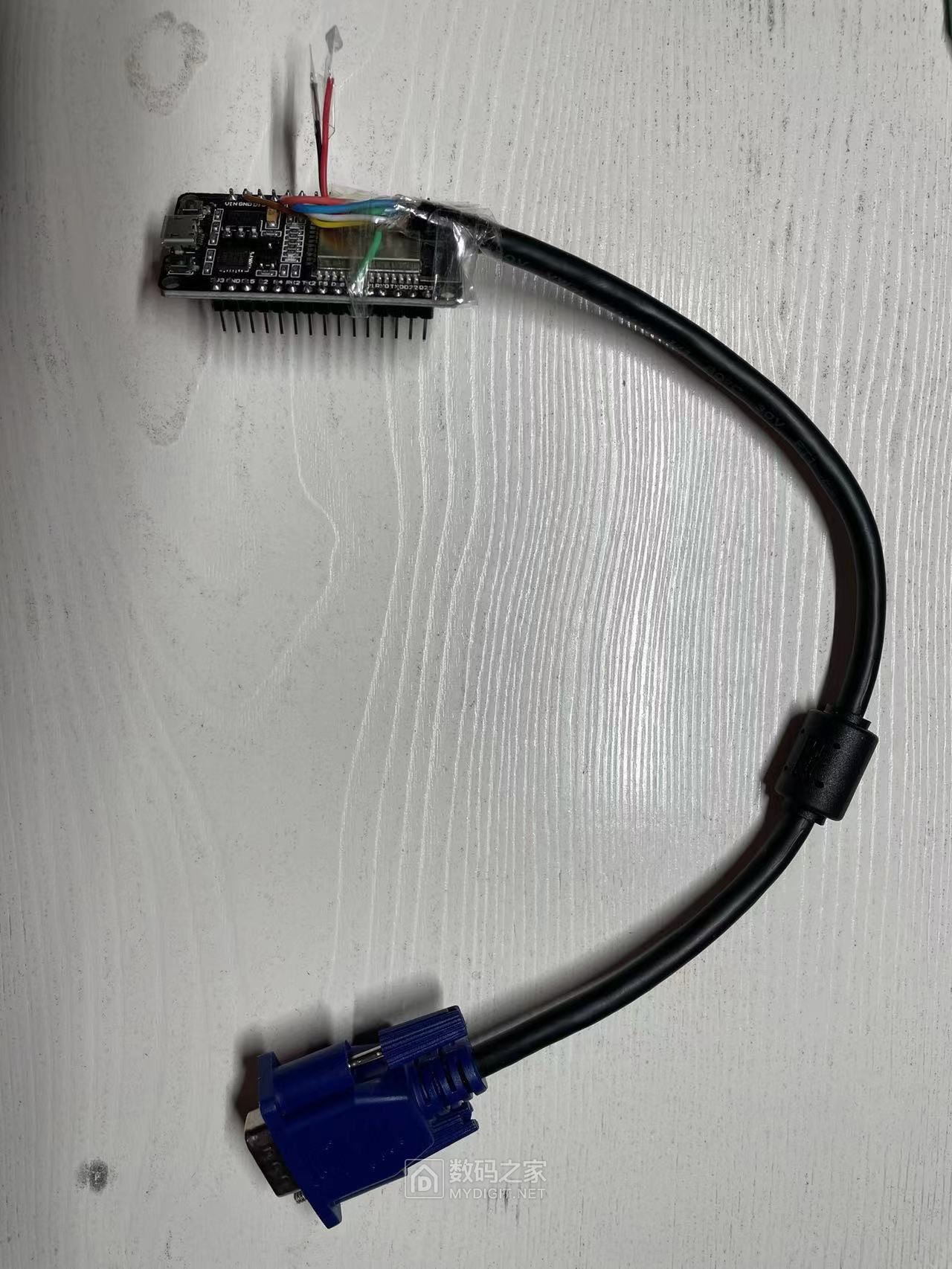
按如下定义焊接VGA线,并使用bitluni ESP32Lib自带的例子,即可显示英文。
[color=rgb(119, 119, 119) !important]- //pin configuration
- const int redPin = 14;
- const int greenPin = 19;
- const int bluePin = 27;
- const int hsyncPin = 32;
- const int vsyncPin = 33;
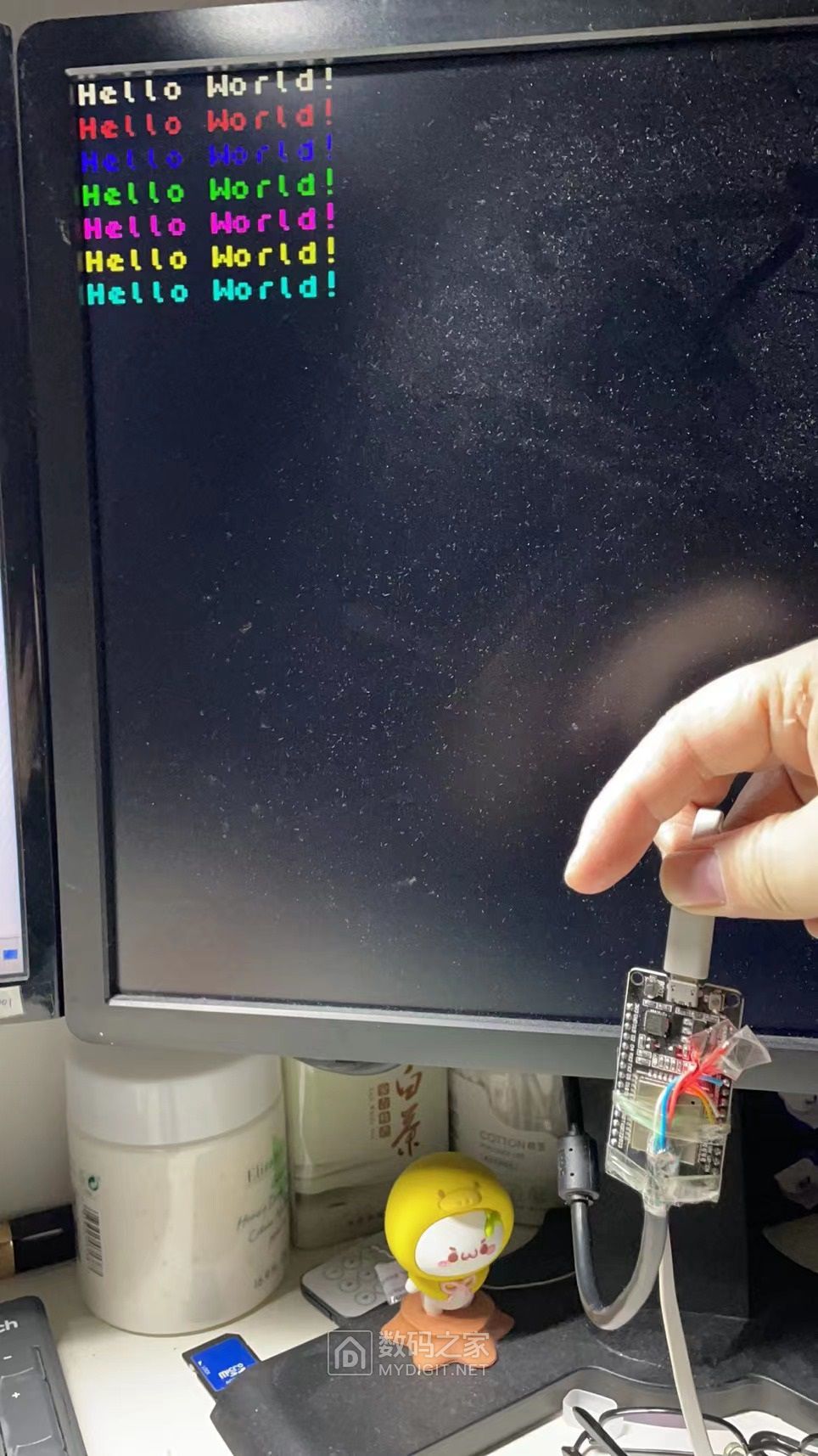
代码大概如下:
[color=rgb(119, 119, 119) !important]- //VGA Device
- VGA3Bit vga;
- //initializing vga at the specified pins
- vga.init(vga.MODE320x240, redPin, greenPin, bluePin, hsyncPin, vsyncPin);
- //selecting the font
- vga.setFont(Font6x8);
- //displaying the text
- vga.println("Hello World!");
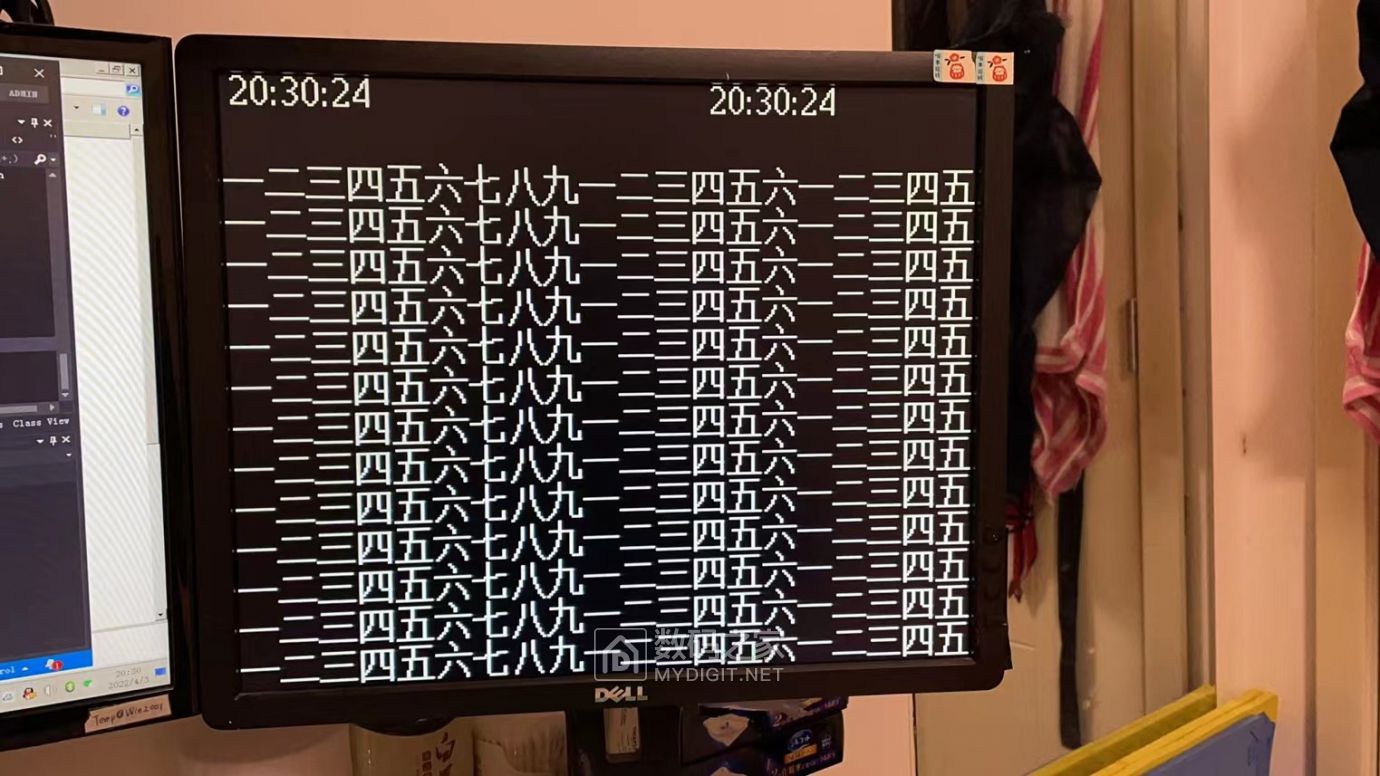
想要显示中文就有点复杂了,先在U8g2里创建一个320*240分辨率的屏幕,然后就可以用U8g2来描绘图形和中文字符。
然后写了一小段代码,把U8g2显存里的数据转换到VGA驱动的显存里。
先修改u8g2.h文件,启用#define U8G2_16BIT模式。 否则横向320的分辨率会被限制在240.
代码大概如下:
[color=rgb(119, 119, 119) !important]- u8g2_Setup_st7511_avd_320x240_f(&u8g2_vga, U8G2_R0, NULL, NULL); // init u8g2 structure
- //描绘屏幕
- u8g2_ClearBuffer(&u8g2_vga);
- u8g2_SetFont(&u8g2_vga, u8g2_font_crox3t_tn);
- time_t now = time(nullptr); //获取当前时间
- time_str = ctime(&now);
- //第一行时间
- sprintf(sprint_buf, "%c%c:%c%c:%c%c"
- , time_str[11]
- , time_str[12]
- , time_str[14]
- , time_str[15]
- , time_str[17]
- , time_str[18]
- );
- u8g2_DrawStr(&u8g2_vga, 3, 7 + 8 - 3, sprint_buf);
- u8g2_DrawStr(&u8g2_vga, 200, 7 + 8 - 3, sprint_buf);
- u8g2_SetFont(&u8g2_vga, u8g2_font_wqy16_t_gb2312);//12的中文,英文不等宽。
- for (int i = 3; i < 16; i++)
- {
- u8g2_DrawUTF8(&u8g2_vga, 0, 16*i-1, "一二三四五六七八九一二三四五六一二三四五");
- }
关键步骤来了,u8g2的显存数据在 u8g2_vga.tile_buf_ptr 里面。调用vga的驱动,一个点一个点的显示出来。我这里固定显示了白色。如果要显示彩色,还需要再写一些代码。
[color=rgb(119, 119, 119) !important]- for (int y = 0; y < 240; y++)
- {
- for (int x = 0; x < 320; x++)
- {
- vga.dotFast(x, y, ((u8g2_vga.tile_buf_ptr[x + (y / 8) * 320] >> (y % 8)) & 1) * (0xf));
- //0xf是白色。七种其他颜色分别是:0x8+1,0x8+2,0x8+3,0x8+4,0x8+5,0x8+6,0x8+7
- }
- }
|



 发表于 2025-3-20 19:24:51